AI Video Clipping for Coaches: How to Turn Webinars Into Clients in 2026

Vugola Team
Founder, Vugola AI · @VadimStrizheus
Last updated: 2026-09-30
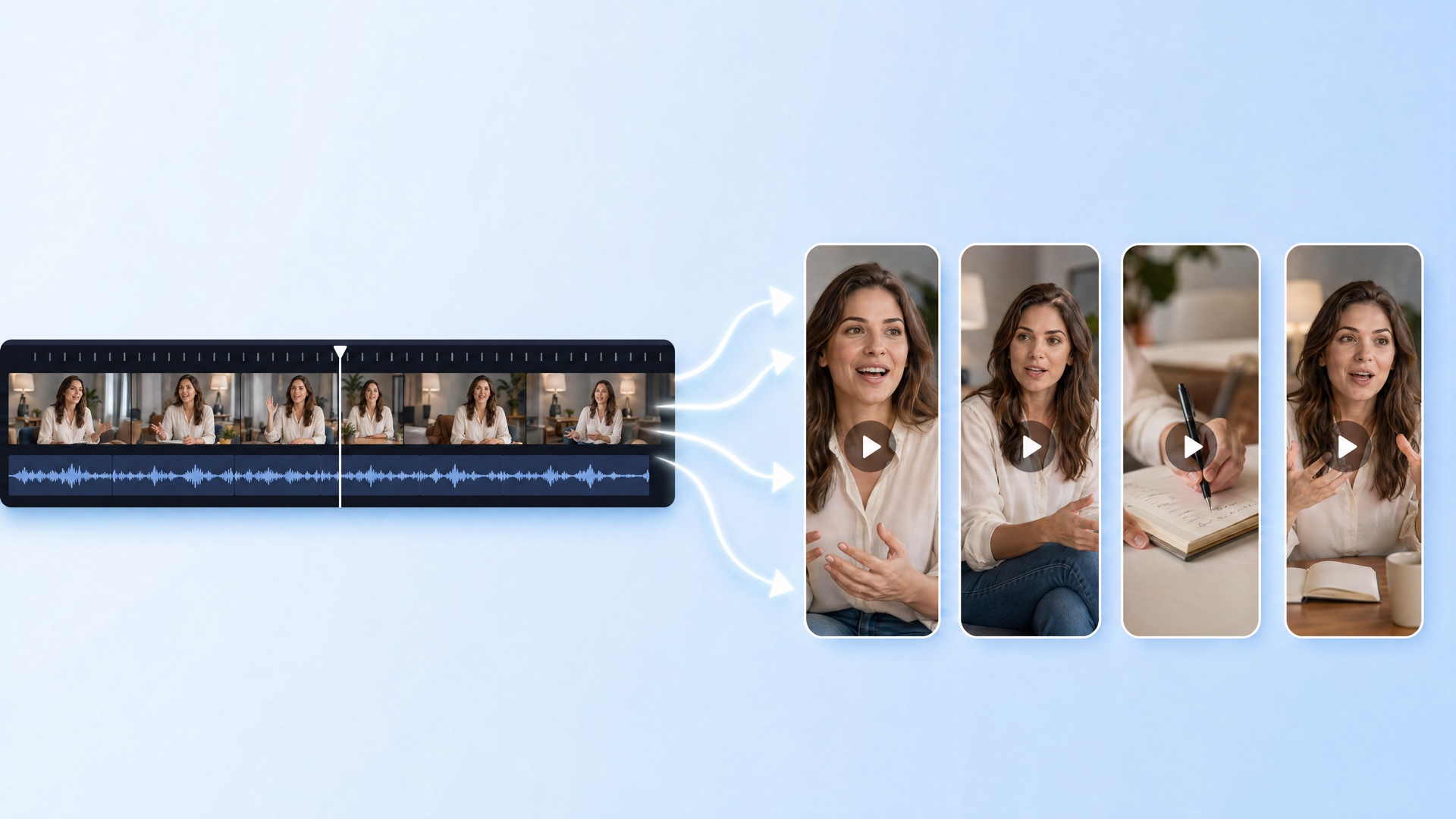
AI video clipping for coaches turns the webinars, group calls and teaching you've already recorded into captioned short-form clips that bring the right people to your discovery calls. Vugola handles the clipping, captions, framing and scheduling to five platforms in one place. Plans start at $19.99 a month.
Coaches keep telling me some version of the same story. They run a 90-minute webinar with a room full of people. The replay goes into a folder. Maybe it goes up on YouTube and gets a few dozen views. They promise themselves they'll turn it into clips someday, and someday doesn't come.
Your webinars are the densest teaching you produce. Short-form video is where the people who need that teaching are scrolling. The gap between those two things is a workflow problem, and it's a very fixable one.
Here's the playbook for AI video clipping for coaches in 2026: the workflow, the tools, tips specific to coaching, and the credit math.
TL;DR
- One webinar can feed weeks of posts. Vugola picks the strongest moments, reframes them to vertical and captions them in the language you spoke.
- Clipping costs 1 AI credit per started minute of source. A 90-minute webinar is 90 credits, so a coach running a few webinars a month fits the Creator plan ($49.99/month, 300 credits).
- For short tips you film to camera, the Studio editor's AI edit cuts filler words and retakes from a plain-English request.
- Vugola schedules to Instagram, Facebook, TikTok, X and LinkedIn from one calendar. For coaches who want one tool from replay to posted clip, it's my pick.
The Coach Content Problem
Most coaches don't have a content problem. They have a distribution problem. The webinars, group calls, masterminds and podcast guest spots already exist. What's missing is turning that long-form into short-form and posting it steadily where future clients spend their attention.
Here's where it usually goes wrong.
The wrong cadence. One webinar replay a quarter isn't a content strategy. Instagram and TikTok reward consistency. If you post steadily for a few months, the platforms learn who responds to you.
The wrong format. A 60-minute replay on a short-form platform doesn't get watched. The format has to match the feed.
The wrong help. Hiring an editor to watch every webinar, find clips, caption and upload them works, but it's expensive per clip and slow to turn around.
Waiting. Plenty of coaches will agree with every word here and change nothing. The ones who set up a simple weekly routine are the ones who see results.
The fix is AI video clipping for coaches, set up around how coaches actually teach.
Why AI Video Clipping for Coaches Works So Well
AI video clipping for coaches works well because coaching content is built from the same pieces short-form rewards: frameworks, stories and direct answers to real questions. Those moments usually stand on their own, which is exactly what a clipping tool looks for.
Coaches teach in frameworks. Most coaches teach their method as steps or principles. A numbered insight or a contrarian take makes a clean 45-second clip.
Coaches tell stories. Setup, problem, turn, lesson. A client breakthrough story is the kind of clip that books calls.
Coaches answer questions. Q&A segments are often the best source. Question, answer, payoff. Each exchange is close to a finished short already.
Coaches sell authority. People buy coaching from someone they've watched and trust. Short clips let people see your face and hear your thinking many times before they ever book a call.
Put your existing webinars together with a clipping workflow and one hour of teaching can feed weeks of posts.
The Vugola Workflow for Coaches
Here's the workflow I'd give any coach starting with AI video clipping for coaches in 2026. It goes from webinar recording to clips scheduled across five platforms.
Step 1: Upload your webinar replay
Drop the recording into Vugola (MP4, MOV, AVI or MKV, up to 5GB) or paste a public YouTube, Vimeo or direct MP4 link. Clipping works on sources from 5 minutes to 3 hours, so a 60 to 120-minute webinar is well within range. The credit cost shows before the job runs.
Step 2: Let Vugola find the moments
Vugola transcribes the webinar and reads the whole thing to find the strongest self-contained moments: the framework explained cleanly, the story with a lesson, the sharp answer to a question. You don't need to keep the tab open. Vugola emails you when the clips are ready.
Step 3: Review the clips
Clips come back ranked. Open one to read the Scene analysis explaining why it was picked. As a coach, look for three kinds: framework explanations, stories and Q&A exchanges. If a clip starts a beat early or runs past the punchline, trim, split or delete a section in the clip editor. If a Q&A shows you and a participant, Reframe Studio's Split layout stacks both in one vertical frame.
Step 4: Style the captions
Captions are generated word by word in the language you spoke, with 99 languages supported. Vugola doesn't translate or dub. Pick a style such as Highlighted, Hormozi or Glow, then set the font, size, color and position to match your brand. You can add your logo as an overlay.
A hook structure that works for coaches is problem, then stakes, then the reveal. For example: "You're not losing clients on price. You're losing them on the first call. Here's what to ask instead." Make sure that line reads clearly as on-screen text in the first two seconds.
Step 5: Schedule across platforms
Hit Post on each clip, pick your connected Instagram, Facebook, TikTok, X and LinkedIn accounts, and set the times. Everything lands on one calendar where you can drag posts around and set your timezone. Instagram needs a Business or Creator account. For YouTube Shorts, download the clip and upload it in YouTube Studio.
Step 6: Write platform-specific copy
The clip can stay the same while the post copy changes. Short and direct for TikTok, a bit more context for LinkedIn, a clear soft CTA on Instagram.
Step 7: Track which clips drive calls
Vugola's Analytics shows views and likes for connected TikTok, Instagram and Facebook accounts. Pair that with your booking data. After a month you'll see patterns. The clips that book calls are often not the most-watched ones. They're the ones that describe the prospect's problem precisely.
Bonus: short tips filmed to camera
Not everything starts as a webinar. For a two-minute tip you film on your phone, open the Studio editor and describe the edit you want. AI edit keeps the best take and cuts dead air, filler words and retakes, with every cut landing between words. Fine-tune on the timeline, switch to 9:16 if you need to, and export in 1080p for free.
Best AI Video Clipping Tools for Coaches in 2026
Here are the five tools I'd look at for AI video clipping for coaches, ranked by how well they fit a coaching workflow. Prices are as of September 2026.
1. Vugola: Best All-in-One for Coaches
Vugola covers clipping, captions, framing, editing and scheduling to Instagram, Facebook, TikTok, X and LinkedIn in one tool, with no watermark on any plan.
Key features: strongest-moment picks with a Scene analysis, speaker tracking plus Reframe Studio (Vertical, Split, Gaming), captions in 99 languages, the Studio editor with AI edit, scheduling to five platforms, and channel Automations on Creator and Pro.
Pricing: Starter $19.99/month (50 AI credits), Creator $49.99/month (300), Pro $99.99/month (800, with 3 team seats). Yearly billing saves about 20%.
Best for: coaches who want one place from replay to posted clip. Vugola offers clipping, captions and scheduling at $49.99 a month on Creator, which makes it a good fit for coaches running a few webinars a month. Pro's 3 seats suit coaches with an assistant handling distribution.
2. Opus Clip: Best for Quick Clips From a Single Replay
Opus Clip is a well-known clipper with prompt-based picks. For coaches posting to several platforms, the limit is the entry plan: Starter is billed monthly only, exports 9:16 only and has no scheduler, so scheduling across 6 social connections starts on Pro.
Pricing: Free plan (watermarked); Starter $15/month; Pro $29/month or $14.50/month billed annually.
Best for: coaches who want quick vertical clips from a single replay.
3. Vizard: Best for Coaching Teams
Vizard handles long recordings and 4K export, and Business adds a shared workspace and brand kit. For a solo coach it's more setup than you need, and extra seats on Business cost $5/month each.
Pricing: Free plan (720p, watermarked); Creator $29/month or $14.50/month billed annually; Business $39/month or $19.50/month billed annually.
Best for: coaching businesses with several people editing together.
4. Submagic: Best for Caption-Heavy Brand Coaches
Submagic is built around caption styling. For webinars, though, per-video length caps (2, 5 and 30 minutes by plan) get in the way, long-video clipping is the Magic Clips add-on at $19/month, and Starter can't publish to social.
Pricing: No free plan; Starter $19/month or $12/month billed annually; Pro $39/month or $23/month billed annually.
Best for: coaches who already have short clips and want heavier caption styling.
5. Riverside: Best for Recording Webinars Before Clipping
Riverside is a recording platform first, with Magic Clips and a Webinar plan. It's built around sessions recorded in Riverside, so it isn't a drop-in clipper for replays you recorded elsewhere.
Pricing: Free plan (2 recording hours, once, watermarked); Pro $29/month or $24/month billed annually; Webinar $99/month or $79/month billed annually.
Best for: coaches who want to record and host webinars in one place.
Comparison Table: AI Video Clipping for Coaches
| Tool | Price | Best For | Limitation |
|---|---|---|---|
| Vugola | From $19.99/mo | Coaches: replay to scheduled clip, plus AI edit for to-camera tips | No free plan; YouTube is a clip source, not a posting target |
| Opus Clip | Free; Starter $15/mo; Pro $29/mo | Quick clips from a single replay | Scheduler starts on Pro |
| Vizard | Free; Creator $29/mo or $14.50/mo annually | Coaching teams | Free tier is 720p with a watermark; extra seats cost more |
| Submagic | No free plan; Starter $19/mo or $12/mo annually | Heavily styled captions | Per-video length caps; long-video clipping is an add-on; Starter can't publish |
| Riverside | Free; Pro $29/mo or $24/mo annually | Recording and hosting webinars | A recorder first, not a clipper for replays recorded elsewhere |
Prices as of September 2026.
Niche-Specific Tips for Coaches
These are the tips I share when coaches ask how to turn clips into discovery calls.
Tease frameworks, don't give them away. The clip should create curiosity. Share the name of the framework, one step and the outcome. Save the full method for clients.
Clip client transformations. With permission, a story where you took a client from stuck to results beats any framework explanation. Client problem, what you changed, what happened.
Lead with the painful problem. Hooks that name the problem outperform hooks that name the solution. The pain is what makes the right person stop.
Write captions that work on mute. Many people watch without sound. Your hook has to land as text alone in the first two seconds.
Use a soft CTA. "If you want help with this, the link's in my bio" works. Hard pitches feel off in a short-form feed.
Batch your filming. No webinars to clip? Block one day a quarter to teach to camera for an hour. That one recording feeds months of clips, and the Studio editor tightens it quickly.
Clip your podcast appearances. If you've been a guest on other shows, ask the host for permission and clip those episodes too. Vugola can clip straight from a public YouTube link.
The Math on Why This Works
Here's the math I'd actually run, using credits rather than invented revenue.
A coach running two 90-minute webinars a month uses about 180 credits to clip both. Add a handful of AI edits for short tips filmed to camera, and you're still inside Creator's 300 credits at $49.99 a month. Starter's 50 credits covers about 50 minutes of source, so it suits a coach who clips one shorter session a month. If you have a heavy month, credit packs start at $5 for 25 credits and don't expire.
Your time still matters. Reviewing clips, writing copy and replying to comments is the part only you can do. The tool takes over the scrubbing, cutting, captioning and cropping, which is the part most coaches never get to.
Internal Resources for Coaches
For the strategy behind the clips:
- How to repurpose a podcast into clips
- How to repurpose a webinar into clips
- My TikTok content strategy for 2026
The Bottom Line
If you're a coach in 2026 and your webinars aren't turning into short clips, you're sitting on your best marketing. Your clients are on Instagram, TikTok and LinkedIn. AI video clipping for coaches is the workflow that gets your teaching in front of them.
Vugola is the tool I'd use for it. Pick one webinar, commit to a steady posting routine for 90 days, and watch your calendar. See Vugola's pricing, then start clipping your next webinar.